Mark the moment.
Replay it on cue.
CueStack is an iPad app for marking cues on an audio track and replaying any section on demand. Built for video programmers and live-event operators who need to loop a moment while timing the show.

iPad-only, iPadOS 17+. No accounts, no cloud, no network required.
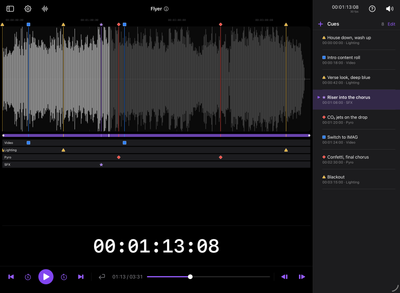
An on-device cue editor for iPad
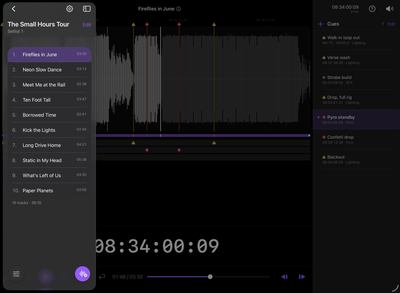
Drop an audio track into CueStack and you get a full-height waveform you can pinch to zoom and tap to seek. Mark the spots that matter (a downbeat, a hit, a transition) and tag each with a cue type that carries its own color and shape.
Everything stays on the iPad. No accounts, no cloud, no network required. Your tracks and cues live on the device.
- Storage
- On device only
- Accounts
- None
- Network
- Not required during a show
- Formats
- mp3, wav, m4a, aac, aiff, flac
How it works
Import a track
Files, iCloud Drive, USB, or drag-and-drop. mp3, wav, m4a, aac, aiff, flac, plus anything iPadOS can decode.
Mark typed cues
Tap the waveform to drop a cue; give it a type, color, shape, and an optional note.
Tap to replay
Tap a cue to jump and play; turn on Return to start to replay a section hands-free.
See it in action
The editor, timecode, output routing, show control, and your library. Front and center: a big SMPTE readout your video operator can chase.
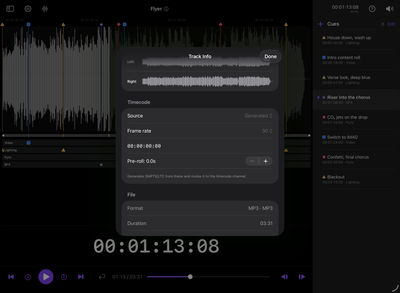
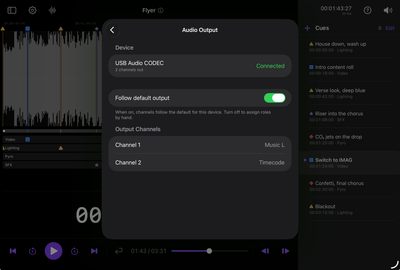
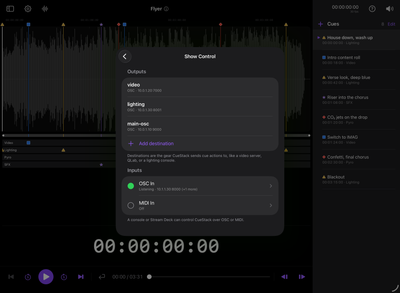
Color and icon, at a glance
Every cue type carries a color and an icon, so one glance at the timeline tells you what each marker is. Five types are built in. Make your own, and tag any cue with an icon from an expanding set for lighting, sound, video, FX, and more.
Try it free, one-time upgrade
Free
- One project
- Up to 3 tracks
- Waveform, typed cues, transport, return to start
- SMPTE timecode + audio routing
Full unlock $39.99 one-time
- Unlimited tracks
- Multiple projects
- Send and receive OSC / MIDI
- Setlist ordering
- Export / import project bundles
Latest updates
-
CueStack 1.0.1
Show import is faster. Restoring a large show from a .cuestack backup is now quick and stays responsive, with waveforms filling in while you work.
-
CueStack 1.0
CueStack is on the App Store. Mark cues on any track, replay sections on demand, and run timecode and show control from an iPad.
-
Off to review
CueStack 1.0 is with App Review. Fourteen beta builds, a new look, and a much bigger timecode readout.
Need a hand?
Importing tracks, marking cues, getting audio out to the room. The common questions are answered in the help pages.